
Every client site in one panel. No Docker.
Connect a GitHub repository — builds, HTTPS, domains and rollbacks take care of themselves. And the client edits the copy without you.
v0.26.2·29 September 2026·1 release in the last 30 days
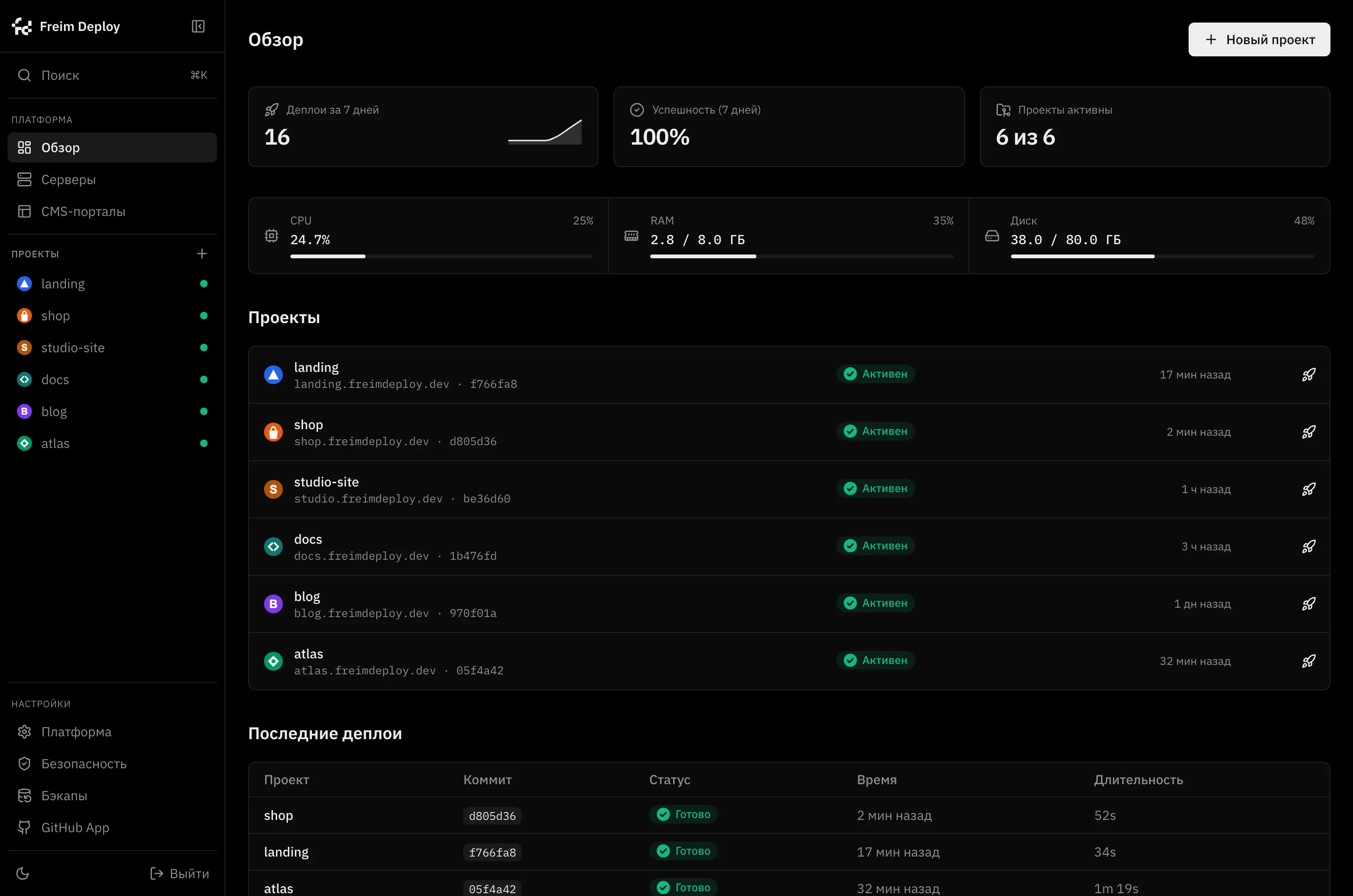

This is the real interface, not a mockup. The demo opens the very same screen.
One panel, as many clients as you like
The panel runs on your server and drives your clients' servers over SSH. Every client keeps their own VDS: their own hosting bill, their own data, their own access. You get one screen with all the sites on it. When a client leaves, you hand over the whole server and remove it from the panel. Nothing has to be migrated or untangled.

A built-in CMS that feels like WordPress to your client
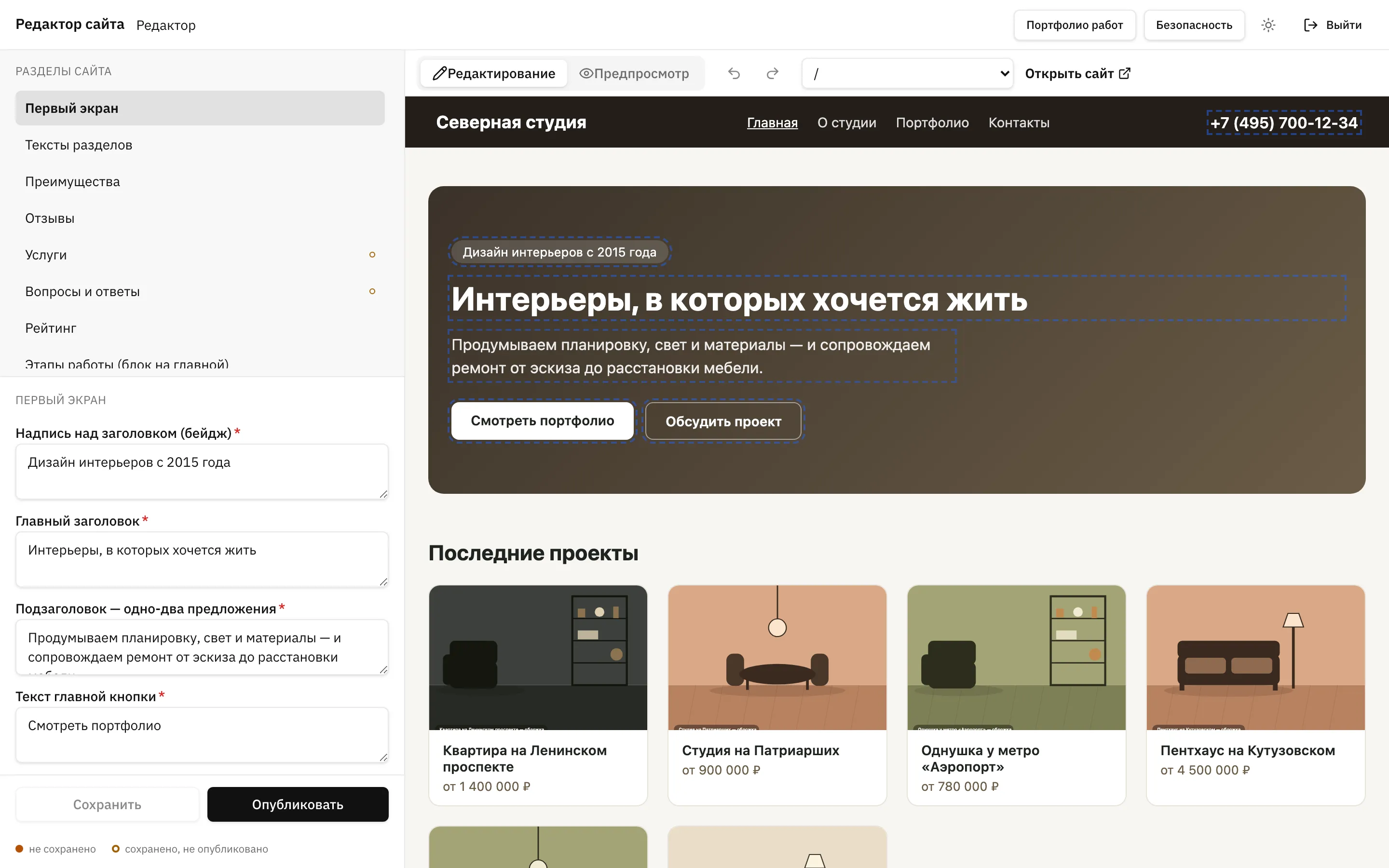
A separate cabinet comes up next to the panel. The client signs in with an email and a password, clicks the text on the live site and hits “Publish”. They never see the panel, GitHub or the server.
Every change lands in Git and stays in a history you can read
The client opens their own site address and signs in, never seeing the panel
Access to their own content only: no code, no server, no neighbours
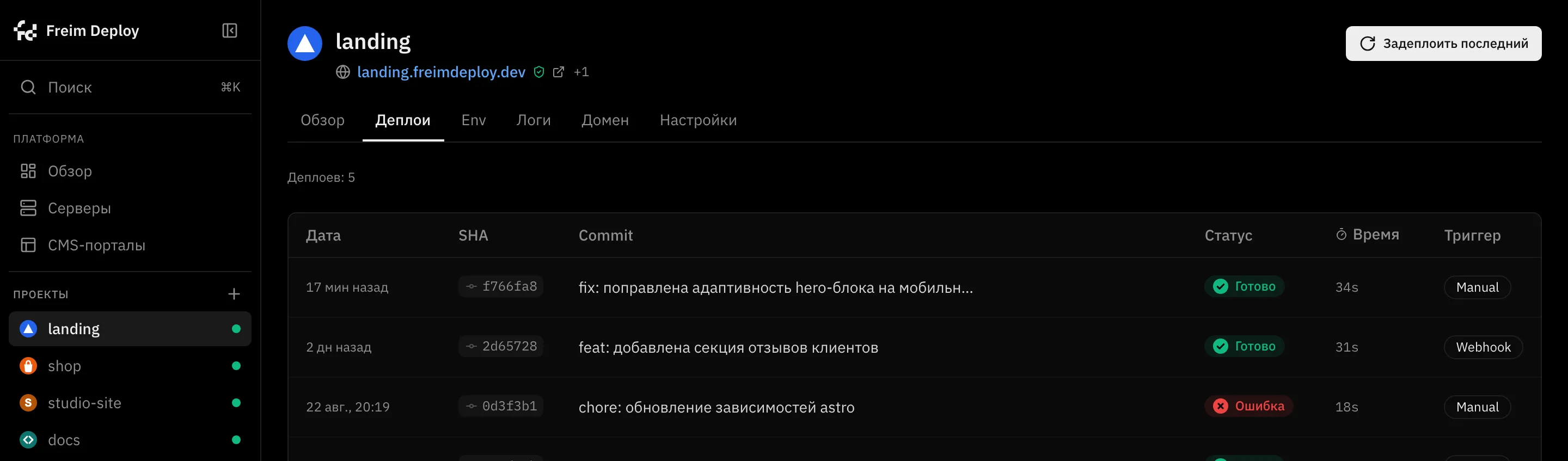
Every release is checked before a single visitor sees it
The new release is built beside the running one and replaces it whole — but only after it answers a health check. If it does not answer, the previous version keeps serving, and rolling back to any earlier release is one button.
- Fetchpull the code
- Checkoutthe right commit
- Installdependencies
- Buildbuild
- Syncpublish the release
- Restartrestart
- Healthhealth check
No Docker: systemd, Caddy and SQLite — nothing else
- 1 GB
- the absolute minimum, and exactly one site
- 300 MB
- what a server-rendered project takes; static takes almost nothing
- 2 GB
- a comfortable start for a studio
Hit Deploy and watch the log — right now
The demo opens with no sign-up and no server: the panel is filled with made-up projects and everything clicks. Start a deploy, cancel it halfway, roll back to the previous release.
The data is fictional; changes live until you reload the page.
One command — or hand the install to your AI agent
You need a VPS running Debian 12+ or Ubuntu 22.04+ with at least 1 GB of RAM, and a domain pointed at its IP. The rest is a setup wizard in the browser.
By hand, in two minutes
The installer is open — you can read it before running it. The full guide, including DNS and the SSH tunnel, is in the repository.
curl -fsSL https://raw.githubusercontent.com/ARTFROST1/FreimDeploy/main/install.sh | sudo bash
Or by an AI agent, hands off
The site is written to be read by agents: there is an agents.md runbook and a ready prompt. The agent checks DNS itself and takes you to a working panel.
Install Freim Deploy on my server and take it to a working
panel. Instructions — artfrost1.github.io/FreimDeploy/agents.md
My server: root@<IP> · My domain: <example.com>
Fourteen things the panel does for you
- One-click deploy
- Pick a repository and a branch, hit Deploy. Seven stages run on their own, builds are cached.
- Framework detection
- Next.js, Astro, Nuxt, SvelteKit, Remix, Python and static — with no config
- Auto-deploy on git push
- A webhook ships the site without you touching anything
- Live build logs
- Every step is visible, and a build can be cancelled mid-flight
- Instant rollback
- One click and you are back on any previous version
- Domains and HTTPS
- Certificates are issued and renewed for you
- Encrypted secrets
- Environment variables and tokens are stored encrypted
- Site isolation
- Every site runs under its own system user
- Multiple servers
- One panel, many machines — clients can be kept apart
- A CMS portal for clients
- A separate cabinet where the client edits their content without touching code.
- Managed PostgreSQL
- A database from the panel; the connection string is filled in for you
- Several services from one repository
- The site and a background worker live separately
- Monitoring
- CPU, memory and disk in real time
- Backups
- On a schedule, locally or to S3, with a restore check
Secrets encrypted, sites isolated, updates signed
The platform installs as root on someone else's server, and we treat that accordingly. Protection goes in layers, from the outside in.
- A separate unix user for every site
A project cannot read a neighbouring project's files and cannot leave its own directory
- Secrets are encrypted before they reach the database
The key lives on the server separately and enters the backup as its own part
- Two-factor authentication
Signing into the panel is confirmed with a one-time code from an app
- Client certificates (mTLS)
Optional: the panel opens from your machines and from no others
- Updates are signed
The signature is verified before install — a tampered release simply will not go in
- The installer hardens the server
It disables SSH password login and sets up brute-force protection during install
How this differs from Vercel and from Coolify
Freim Deploy is a self-hosted alternative to Vercel, Netlify, Render and Heroku: the same workflow, except the server, the domains, the data and the bill are yours.
| Vercel, Netlify | Coolify, Dokploy, CapRover | Freim Deploy | |
|---|---|---|---|
| Where the sites run | on someone else's servers | on your server | on your server |
| Docker | not your problem | required | not needed |
| Panel and sites | no panel, an account | panel on the same server it deploys to | panel drives other servers over SSH |
| Cabinet for the client | no | no | yes |
| Payment | monthly, foreign card | the server only | the server only |
| Interface language | English | English | Russian |
| Rollback | yes | yes | yes, one button |
| Source code | closed | open | closed, installer open |
When Freim Deploy is not for you
- You need Docker
Your own images, arbitrary services from Docker Hub, docker-compose — none of that is here, and none of it is planned
- You need a cluster
Several machines behind one site, load balancing, autoscaling — the platform drives servers one by one
- You need a zoo of databases
PostgreSQL is the only managed one
- Your server is not Debian or Ubuntu
The RHEL family, Alpine, Arch and arm64 are not supported
Frequently asked
The workflow is the same: connect a repository, hit Deploy, get a site on HTTPS. What differs is the economics and the control. Sites run on hardware you rent: no build-minute limits, no per-seat billing, no third party holding your production, and no cross-border card payments. You pay for the server.
To install it, you copy and paste two commands. Everything else is in the web panel. If even that is too much, hand the prompt to an AI agent and it will walk the setup with you.
Static sites cost almost nothing — dozens fit comfortably. Server-side rendering takes 150–300 MB per project, so 2 GB holds several such sites plus the panel itself.
Yes. Once the panel is up on its own domain, it offers to install a GitHub App — that's the first thing you see, and it covers every private repo the app is granted. If the App does not fit your setup, a personal access token works as a fallback on the same screen; either way the credential is stored encrypted.
No. There is nothing to build, push or pull — sites run directly on the server, which is why 1 GB of memory is enough to start.
Nothing changes for visitors: a release only goes live after a successful health check, and until then the previous version keeps serving. The build log shows exactly which step broke.
Yes — install Freim Deploy on the new server and restore a backup.
The client sees the content of their own site and nothing else. No panel, no server, no repository. Every edit they make is an ordinary Git commit that you can see and roll back.
No. The public repository distributes the installer and the built releases — and the installer can be read before you run it. The application source is closed; updates are signed and verified automatically.
See what it looks like from the inside
The demo opens with no sign-up, no server and not a single real network request.
Open the demo